Teleprompters
Moody, Notchie or NotchPrompter on Windows? What to use instead
Moody, Notchie, NotchPrompter and CueNotch are Mac apps. Here is what they do, which Windows apps do the same job, and how to set one up under your webcam.
By Abhijeet Naik · · 8 min read
Moody, Notchie, NotchPrompter and CueNotch are Mac apps. As of November 2026, none of them runs on Windows. If you want a Mac notch teleprompter for Windows, pick a Windows app that does the same job: it shows your script in a narrow strip right under your webcam. Options include Lenslines (we make it), Sayline, Webcam Teleprompter, ShareSpeak and Notch.
Below you'll find what a notch teleprompter is and a short table of the Mac apps and the Windows options, with prices from each vendor. Then come the setup steps that make the biggest difference on a Windows laptop or monitor. We make Lenslines, so read our part of the table with that in mind. Moody, Notchie, NotchPrompter, CueNotch and the other apps named here are trademarks of their owners. Lenslines is not affiliated with any of them.
What is a notch teleprompter?
Recent MacBooks have a black cutout at the top of the screen that holds the camera. People call it the notch. A notch teleprompter uses the space around that cutout to show your script, so the words sit a few centimeters from the lens.
That's the whole idea. Instead of a big scrolling window in the middle of your screen, you get a small strip of text tucked right under the camera. It scrolls while you talk, and you read it while looking almost straight at the person on the other end.
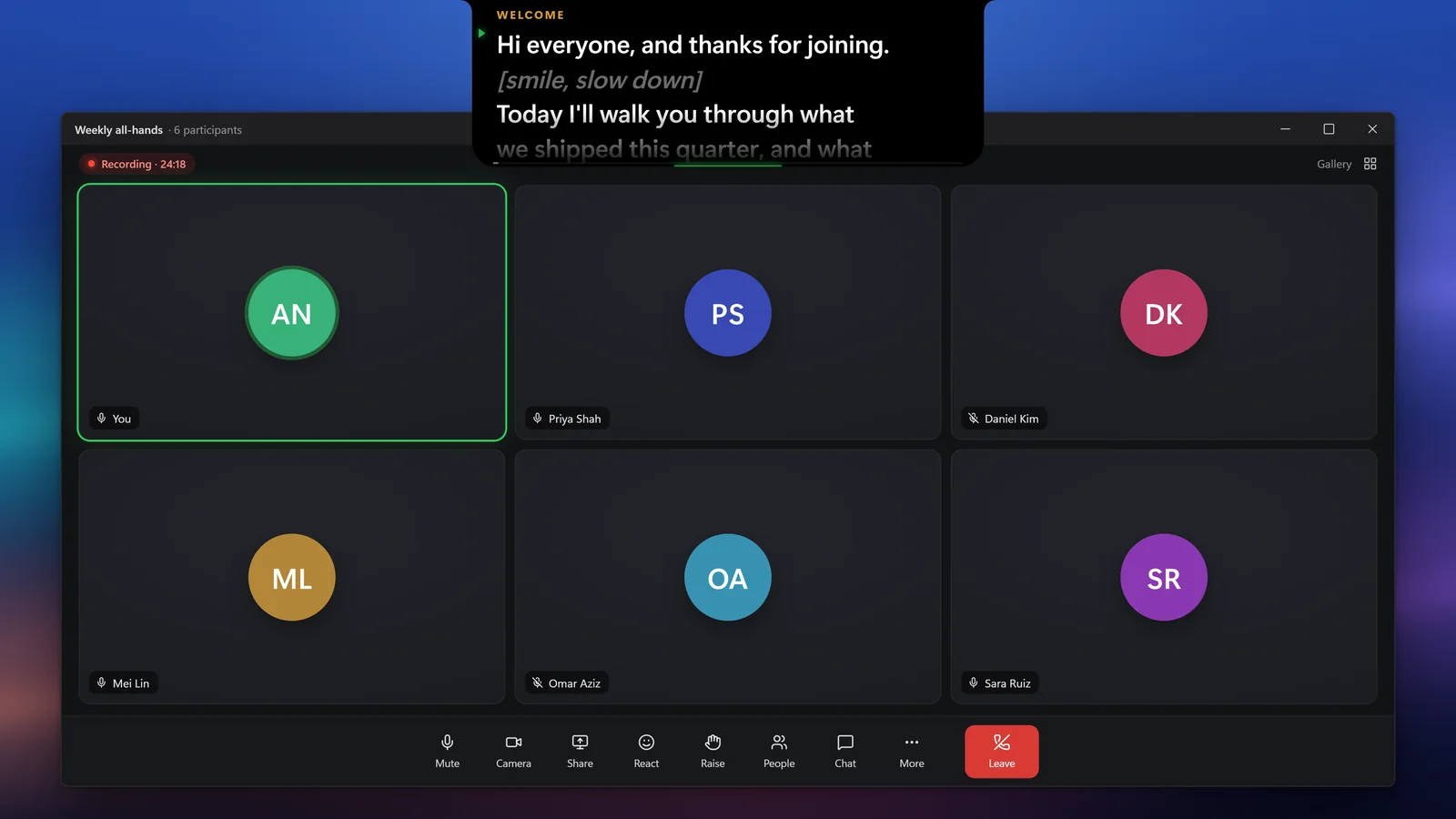
Windows laptops don't have a notch. That doesn't matter, because the cutout itself does nothing. What matters is where the text sits. A Windows app can draw a black strip in the same spot, at the top center of the screen, under the webcam. On a desktop with a webcam clipped to the monitor, the same trick works.
Why text right under the camera helps eye contact
On a video call, people judge eye contact by where your eyes point compared to the lens. They can't see your screen. They see your eyes.
When you read notes from the middle of the screen, your eyes drop well below the lens. Viewers notice. You look like you're reading, because you are. Move the same text up until it sits right under the camera, and the drop becomes small. To most people on a call, it looks like you're talking to them.
Two other things help:
- Short lines. A narrow strip means each line holds a few words. Your eyes barely move left and right, which looks calmer on camera.
- Distance. The farther you sit from the screen, the smaller the gap between the text and the lens looks. An arm's length works well on a laptop.
For more on this, see our guide on how to keep eye contact on video calls.
Do Moody, Notchie, NotchPrompter or CueNotch work on Windows?
No. All four are built for macOS. Here is what each vendor states, checked on 2 November 2026. Prices change, so check each site before you buy.
| App | Platform | Price as stated by the vendor |
|---|---|---|
| Moody | Mac, macOS 15 or later | $19.99, one-time payment |
| Notchie | Mac, macOS 14.6 or later | $29.99 on the Mac App Store |
| NotchPrompter | Mac, macOS 14 or later | Free and open source on GitHub, or a paid one-time version on the Mac App Store |
| CueNotch | Mac, macOS 14 or later | Free to try, then Pro for $29.99 once or $7.99 a week |
Moody's own FAQ asks whether there will be a Windows version. The answer it gives is "Not currently." We found no Windows version of the other three either. If one appears later, it will be on the vendor's own site, so that's the place to check.
None of this is a problem with the Mac apps. They were designed around the camera notch on a MacBook. If you work on a Mac, they're the natural choice.
Notch-style teleprompters you can use on Windows
These Windows apps all put your script near the top of the screen, close to the webcam. The details come from each app's Microsoft Store listing or website.
| App | Runs on | Price as stated | Where the text sits |
|---|---|---|---|
| Lenslines (ours) | Windows 11, and Windows 10 version 2004 or later, 64-bit | $9.99 one-time, no trial | A black notch at the top center, under the webcam |
| Sayline | Windows 10 version 2004 or later | Free download. Voice follow, a phone remote and PowerPoint notes cost $9.99 once | A slim panel at the top center, under a typical webcam |
| Webcam Teleprompter | Windows 10 and 11 | $4.99 one-time | A reading band docked under the webcam |
| ShareSpeak | Windows 10 version 2004 or later, Windows 11, and Mac | $14.99 one-time | A floating overlay you can park under your webcam |
| Notch (trynotch.net) | 64-bit Windows 10 and 11, and Mac | Free to try, then $17.99 once | At the top of the screen, close to the camera |
Sayline, Webcam Teleprompter and ShareSpeak each say their prompter stays out of screen sharing. Lenslines is hidden from screen shares and recordings in apps that use Windows' standard capture. No software can hide from a phone or a second camera pointed at your monitor, so keep that in mind.
If you want to know more about how that hiding works, our page on the teleprompter hidden from screen sharing explains it in plain words.
How to set up a notch teleprompter under your webcam on Windows
Whichever app you choose, the setup is what makes it work. These steps take about 5 minutes.
- Find your camera. A built-in laptop webcam sits in the frame above the screen, usually at the center. An external webcam usually clips onto the top of a monitor. Note which screen it sits on.
- Bring the lens up to eye level. Put the laptop on a stand or a stack of books. If you look down at the lens, text under it pulls your eyes down even more.
- Put the text right under the lens. Dock the prompter at the top of the screen the camera is on. If your webcam is off center, slide the prompter until it lines up.
- Keep it narrow and short. Make the strip narrow so each line is short, and show 2 or 3 lines at a time. A tall box tempts your eyes to drift down.
- Make the text big enough. Sit where you normally sit and check that you can read it without leaning in. Leaning in looks odd on camera.
- Set the pace. Start a little slower than you think you need. If your app scrolls with your voice, turn that on so the text waits when you pause.
- Check yourself in the Camera app. Open the Windows Camera app, record a short clip while you read a paragraph, and watch it back. If your eyes clearly drop, move the text closer to the lens or sit back a little.
- Test a screen share once. Start a meeting on your own in Zoom, Teams or Meet, share your entire screen, and check what the recording shows.
For font size, line spacing and speed, our guide to teleprompter settings for webcam recording goes into more detail. If you're not sure how long your script should be, this chart of how many words fit in a 5 minute speech helps you plan.
Which Windows notch teleprompter should you pick?
It depends on what you need most. Here's a fair way to choose:
- You want to start for free. Sayline is a free download, and a $9.99 one-time purchase adds voice follow.
- You want the lowest one-time price. Webcam Teleprompter lists $4.99 once.
- You use both a Mac and a PC. ShareSpeak and Notch both list Mac and Windows versions.
- You want the notch look under your webcam, with voice scrolling, for one payment. That's what we built Lenslines to do. It costs $9.99 once, and its notch opens on the screen your webcam is on. Voice scrolling moves the text while you speak and pauses when you pause.
Every app here changes often, so read the current listing before you buy. Our notch teleprompter for Windows page shows how our notch moves, resizes and floats. Coming from Moody on a Mac? The Moody alternative for Windows page covers what's different on a PC. For everything else, see the Windows teleprompter overview.
Lenslines runs on Windows PCs. On your phone? Send yourself the link.
Frequently asked questions
Is there a Windows version of Moody?
Not as of November 2026. Moody describes itself as a teleprompter for Mac, and its FAQ answers "Not currently" when asked about Windows. To get the same effect on a PC, use a Windows app that shows your script right under the webcam, such as the ones in the table above.
Can I use NotchPrompter or Notchie on Windows?
No. NotchPrompter needs macOS 14 or later, and Notchie needs macOS 14.6 or later. Neither lists a Windows download. NotchPrompter's code is open source, but it's written for the Mac. On Windows, pick a notch-style app made for Windows.
Does my Windows laptop need a notch for this to work?
No. The camera notch on a MacBook is just a cutout. What helps eye contact is text placed right under the lens. Windows apps draw their own strip at the top of the screen, so any laptop or monitor with a webcam above it works.
Will a notch teleprompter show up when I share my screen?
It depends on the app. Many Windows prompters use a Windows setting that keeps their window out of screen captures, on Windows 10 version 2004 or later. A phone or camera pointed at your monitor can still see it. Run a short test share before an important call.
Is a notch teleprompter as good as a glass teleprompter?
A glass rig puts the text over the lens itself, so your eye line is as good as it gets. It also costs more and takes up desk space. A notch app puts the text just under the lens. You give up a tiny downward glance, but it works well for calls and most recordings.